Arduino first steps: Unterschied zwischen den Versionen
Aus www.wiki.ardumower.de
(→Step 2: Download and install the Arduino software) |
|||
| Zeile 1: | Zeile 1: | ||
| − | + | <b>Step 1: Attach the Arduino to your computer</b> | |
Using an USB cable, attach the Arduino (Arduino Nano or Arduino Mega) to your computer as shown below. | Using an USB cable, attach the Arduino (Arduino Nano or Arduino Mega) to your computer as shown below. | ||
| Zeile 9: | Zeile 9: | ||
</gallery> | </gallery> | ||
| − | |||
| − | + | <b>Step 2: Download and install the Arduino software</b> | |
| + | |||
| + | <b>Download</b> | ||
Click here to download the Arduino development software to your computer: | Click here to download the Arduino development software to your computer: | ||
http://arduino.cc/en/Main/Software#toc3 | http://arduino.cc/en/Main/Software#toc3 | ||
| − | + | <b>Install</b> | |
After the download completed, install the Arduino development software on your computer: | After the download completed, install the Arduino development software on your computer: | ||
| − | + | ||
| + | <b>Step 3: Upload your first program to the Arduino and get it running</b> | ||
Version vom 24. November 2014, 11:54 Uhr
Step 1: Attach the Arduino to your computer
Using an USB cable, attach the Arduino (Arduino Nano or Arduino Mega) to your computer as shown below.
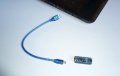
Arduino Nano and USB cable
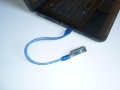
Arduino Nano connected via USB
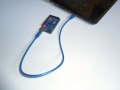
Arduino Mega 2560 connected via USB


Step 2: Download and install the Arduino software
Download Click here to download the Arduino development software to your computer: http://arduino.cc/en/Main/Software#toc3
Install After the download completed, install the Arduino development software on your computer:
Step 3: Upload your first program to the Arduino and get it running
